Wiretap Mappings
An Wiretap Mapping ties the wiretaps running in your agent to the pipelines that process what they capture. One mapping can hold several rules, so a single mapping can combine several pipelines. Mappings are versioned the same way as definitions and pipelines — see Analyze concepts.
1. Adding a mapping
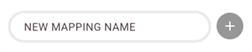
Type a name for the new mapping and click the + button. The mapping is created in Draft, and you can add rules to it straight away. When it is complete, publish it as a snapshot or a release.
|
A Draft mapping cannot be deployed. The assign dialog on Deployments lists only Snapshot and Release versions, and the server refuses a Draft even if one reaches it, so snapshot the mapping before you try to assign it to an agent. |
2. Adding rules to a mapping
Click Add Rule to add a rule. A rule consists of a wiretap name, corresponding to a wiretap point in your agent, and a target pipeline version.

The Studio asks your agent for the wiretap names, so the list holds the wiretaps in the flows and interfaces that agent is running at that moment. A wiretap in a flow that is not deployed does not appear.
Target pipelines can be connected when they are either in Snapshot or Release state.
You can delete rules by clicking the trash icon on the right.
3. Deleting a mapping
To delete a mapping entirely, go to the overview of the mapping, click the three dots in the top right corner and click Delete mapping.
|
Deleting a mapping removes every version of it, and nothing asks you to confirm. If the mapping is assigned to an agent, that assignment is removed with it, but the agent is not told: it carries on with the mapping it already has until it next fetches its configuration, and finds none then. |