Large File Support
1. What is Large File Support
Large file support is created to move large files from one place to another. For this service you need a separate ConnectPlaza® Agent with it’s own license. This LFS license will add some features within the File Pickup consumer to support the large file transfer. The ConnectPlaza® Agent will transfer the large file from the pickup point to the drop off point. No services and Analyze Wiretaps may be added to the flow.
So it is strictly a consumer and a producer, that’s all.
Why do we need a separate license?
The reason you need a separate license for large file support s because the transfer of large files is different than handling messages. Large files can be several MB’s big, i.e. 100MB for instance. If we transfer this kind of files through a normal file pickup consumer, your Agent will be very busy with moving the file from a to b. This will severely slow down the Agent and other processes on this ConnectPlaza® Agent. To prevent this, we created a special license with special features for the file pickup consumer. For instance a special QOS, which prevents problems with time-outs during transfer. Automatic reconnect to the source, until the file has been delivered.
1.1. Implementation
Open your ConnectPlaza® Constructor and define the following process (we use a FTP producer)
The process will look something like this:
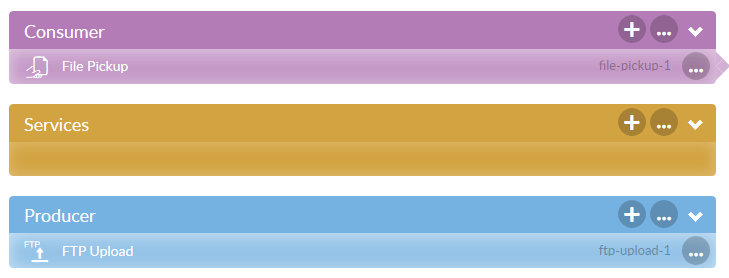
Set the properties as normal. For this LFS transfer, set the property Response Message Type to LARGEFILE .

Now you’ve got to check to other properties:
| Attribute | Description |
|---|---|
Quality of service |
The guaranteed delivery scheme of a Large File, this can be BEST_EFFORT (kind of fire and forget) and AT_LEAST_ONCE, which speaks for itself. |
LargeFileSupport Timeout |
Timeout in seconds for Large File. When no commit or rollback is received QoS will be activated after timeout. Default is 1 hour. |
Set your normal properties with the FTP Upload procedure and you are done.
|