The Quartz Cron Generator
Within the components of ConnectPlaza® you can find some Cron entries to trigger an action of the specific object. These cron action settings are always the same and look like follow:

If you press the  , the quartz cron generator screen will open.
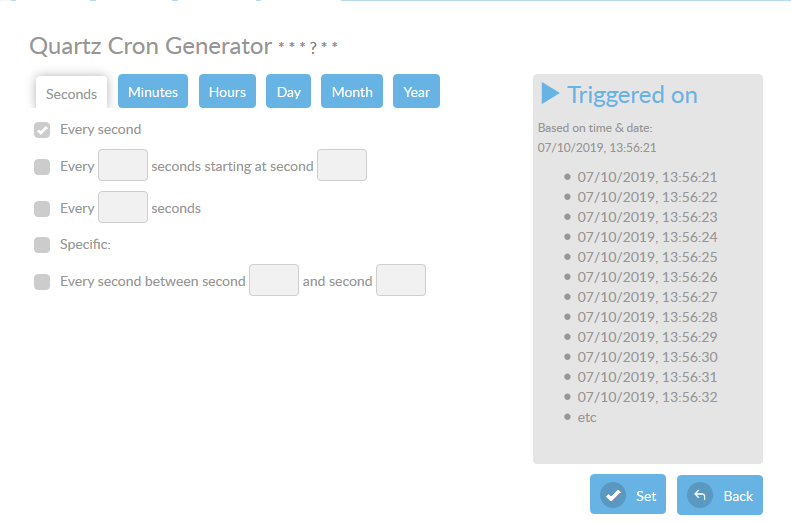
You can create, with this Quartz Cron Generator, a cron expression for you component.
Cron-Expressions are strings that are actually made up of seven sub-expressions. Each sub-expression describes the individual details of the schedule. These sub-expression are separated with white-space.
The sub-expressions represent the following components: * Seconds * Minutes * Hours * Day-of-Month * Month * Day-of-Week * Year (optional field, not used in ConnectPlaza®)
You can use wild cards * and ?. Wild-cards * means “every” possible value of this field whereas wild card ? is used to specify “no specific value”. It is allowed for the day-of-month and day-of-week fields. Cron expression “0 24 23 * * ?” means the job will fire at time 23:24:00 every day.
Every tab has its own settings to play with. Most speak for themselves. As a helper you can check the times the cron triggers in the text box on the right.
|
But watch out with your configuration setting. For example look at the following setting: 5 * * * . At first you will see a cron expression for every 5 minutes. But no this is not the case, this is an expression which will run every 5 minutes and every second of that fifth minute. The cron expression we wanted would be 0 5 * * * * |