Amazon SQS sender

1. Overview

This producer puts a message on an Amazon Simple Queue Service (SQS) queue. It takes the content of the MessagePart In and sends it as the body of a new message, and it is the last component of the flow.

The sender accepts text, an XML document and raw bytes. Any other content is logged as an error and nothing is sent.

A queue accepts a message and returns no answer, so nothing comes back into the flow. The identifier that Amazon gives the new message is written to the agent log.

If you need to send a message halfway through a flow and then carry on, use the Amazon SQS service with its Action set to SEND instead.

2. Attributes

In the table below, you will find an explanation of these properties. All attributes with a * are mandatory.
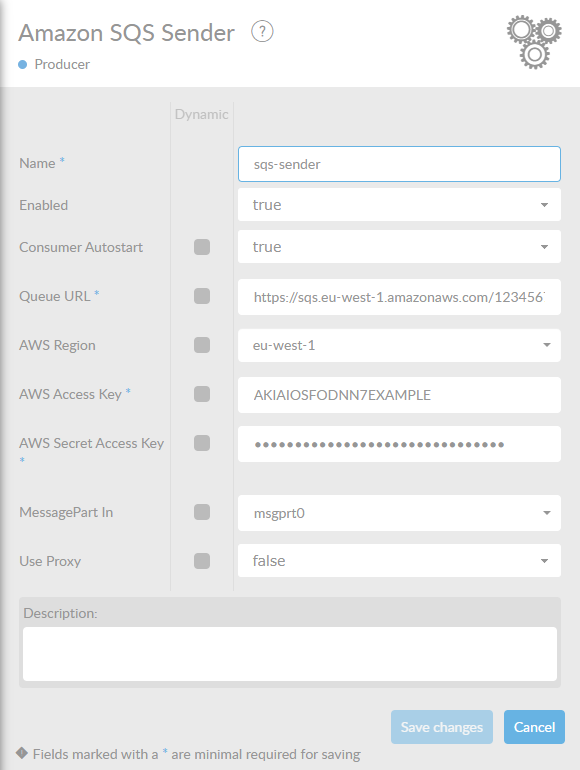
The Amazon SQS sender properties
Attribute Description

Name*

By default, we fill this out with the technical tag, followed by a serial number. Changing the name is optional.

Enabled

Set this value to true, if you want this sender to be enabled.

Consumer Autostart

Has no effect here. The field is shared with the listener components, where it decides whether the listener starts together with the interface. A sender runs whenever the flow reaches it.

Queue URL*

The full URL of the queue, as shown in the AWS console, for example https://sqs.eu-west-1.amazonaws.com/123456789012/orders. This URL is also used as the endpoint of the connection, so it has to match the region you select below.

AWS Region

The AWS region the queue lives in. The default is eu-west-1.

AWS Access Key*

The AWS access key used to authenticate.

AWS Secret Access Key*

The secret that belongs to the access key. The Constructor shows it masked.

MessagePart In

Name of the MessagePart whose content is sent as the message body. The default is msgprt0.

Use Proxy

Set this to true to reach Amazon through an HTTP proxy. The Constructor then shows the two attributes below and makes them mandatory. The default is false.

Proxy Host

Only shown when Use Proxy is true. Host name or IP address of the proxy.

Proxy Port

Only shown when Use Proxy is true. Port number of the proxy. The default is 80.

Description

Description of the specific sender. This is for documentation purposes.

The sender cannot send an empty message. If the MessagePart it reads holds no content, Amazon rejects the call and the flow ends in error, and if the flow names a MessagePart that does not exist the flow ends in error as well. Remove empty messages with a filter before this component.