Company profile
1. Introduction
Company profile holds what ConnectPlaza® knows about your company: its name and address, its technical contact and its billing contact.
The screen is available to users with the Manager permission only. Everyone else in your company does see the result, though: the company name, the address and both contacts are shown read-only in the Overview of each user’s Manage account screen. What you change here, you change for all of them.
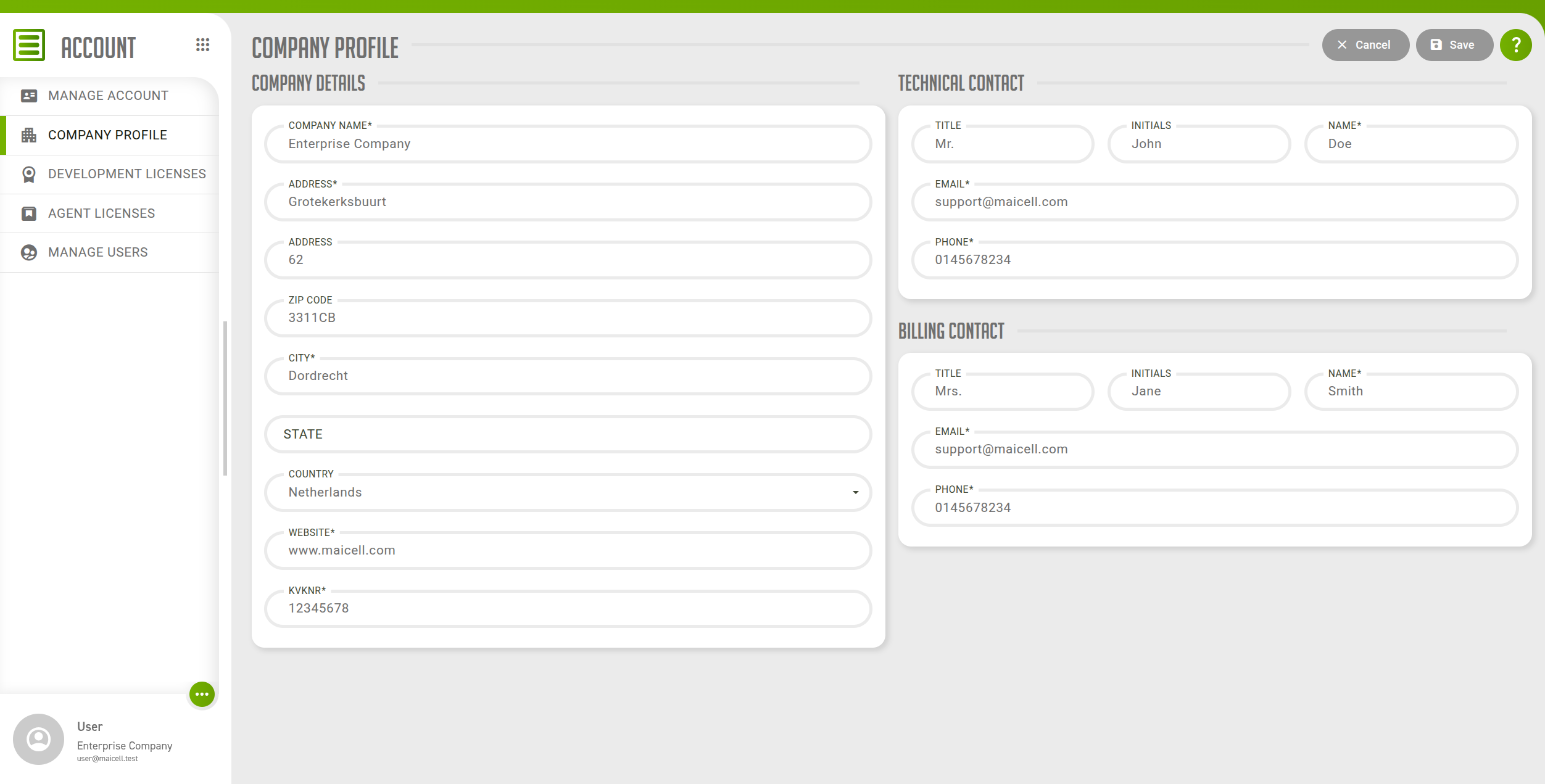
2. Company details
| Field | Description |
|---|---|
Company Name |
The name of your company. Required. At most 50 characters. |
Address |
The first address line. Required. At most 50 characters. |
Address |
The second address line. Required. At most 50 characters. |
Zip Code |
The postal code. At most 10 characters. |
City |
The city. Required. At most 50 characters. |
State |
The state or province, if your address has one. |
Country |
The country, selected from the list. Required. |
Website |
The website of your company, written as a web address such as |
kvkNr |
The Chamber of Commerce registration number of your company. At most 15 characters. |
3. Technical contact and billing contact
The Technical Contact and Billing Contact panels have the same five fields. Fill them in for the person to reach about technical matters and about invoices respectively. It can be the same person twice.
| Field | Description |
|---|---|
Title |
The form of address, such as Mr. or Mrs. |
Initials |
The initials of the contact. |
Name |
The name of the contact. |
The email address of the contact. It has to be a valid address. |
|
Phone |
The phone number of the contact. |
All five fields are required, and each takes at most 45 characters.