Regex splitter
1. Overview
The Regex splitter is a service which can split the content of a messagepart into multiple parts based on a Regex expression and output each part as a separate ConnectMessage.
The format of the input MessagePart has to be String or Document. The format of the resulting MessagePart depends on the input format.
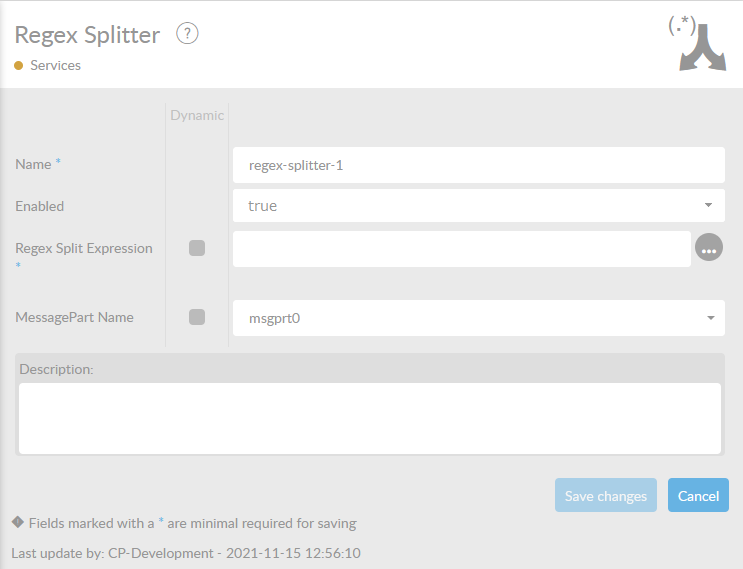
In the table below, you will find an explanation of these properties.
All attributes with a * are mandatory.
| Attribute | Description |
|---|---|
Name* |
By default, we fill this out with the technical tag, followed by a serial number. Changing the name is optional. |
Enabled |
Set this value to true, if you want this service to be enabled. |
Regex Expression* |
Expression to use to split the Text. Should result in a set of separate Text documents. |
MessagePart |
Name of the MessagePart in a ConnectMessage where the content of the file is being stored. |
Description |
Description of the specific service. This is for documentation purposes. |
When you select the  behind the field Regex Expression, you will enter an RegEx Tester program.
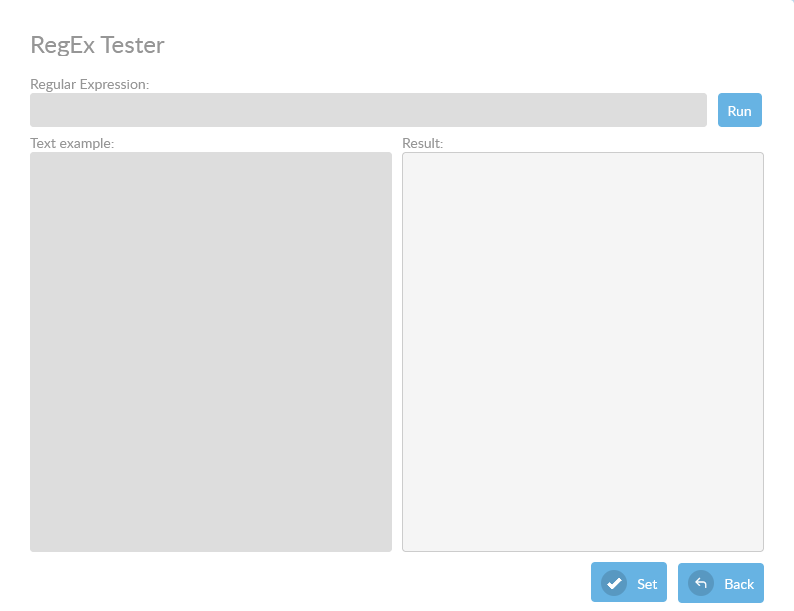
You can enter an RegEx expression and an Text example. When you press the  button the expression will be performed on the given text file. The result will be returned in the result field.
Example
Use the following text as example:
humbapumpa jomNow see the following example:
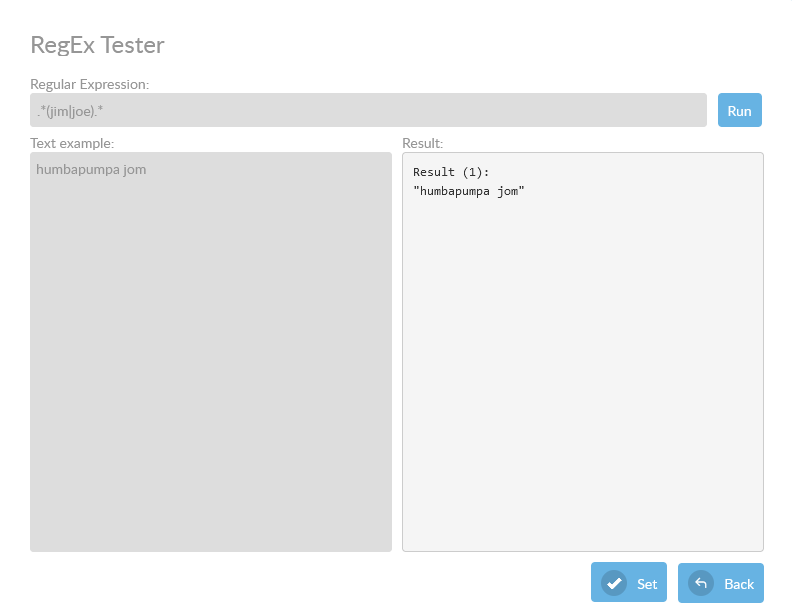
For more information about RegEx, check this link .