Analyze wiretap
Through this Wiretap you can generate a MyESB Analyze Log Message. The Wiretap makes a copy of the current ConnectMessage and sends it together with the set attributes to the Analyze Channel, which is defined in the standard myesb-connect-adapter.
The attributes Location, Process, Pointcut, Sender and Service can be entered to have the Analyze application perform targeted searches. These are basically search criteria.
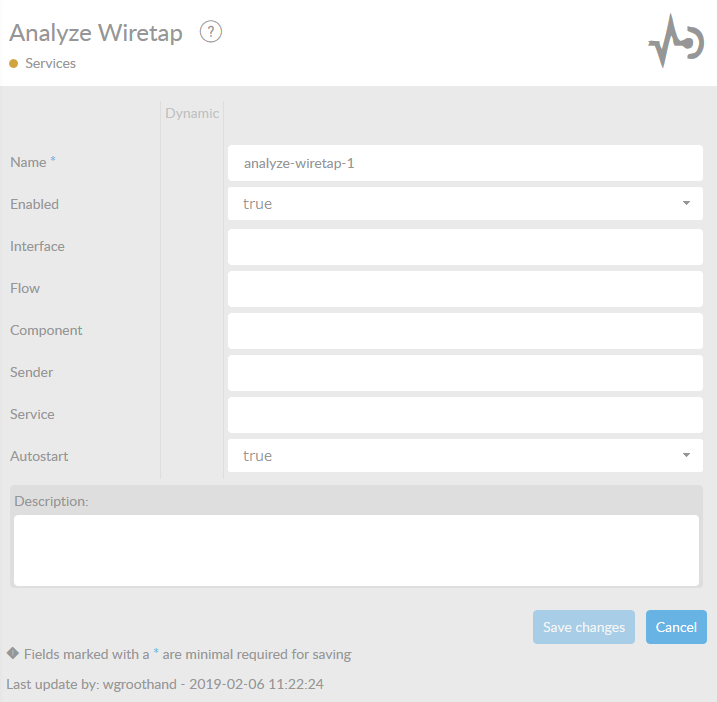
In the table below, you will find an explanation of these properties. All attributes with a * are mandatory.
| Attribute | Description |
|---|---|
Name* |
By default, we fill this out with the technical tag, followed by a serial number. Changing the name is optional. |
Enabled* |
Set this value to true, if you want this service to be enabled. |
Interface |
The location of the process of the Wiretap. The default value is InterfaceName . |
Flow |
The process where the Wiretap is located. By default the flow name is used. |
Component |
The position within the process. By default the ComponentType name is used here. |
Sender |
Here you can set a Sender indication. For example the name of the application offering the message. This is the name of the Sender. |
Service |
Here you can set a Service indication. |
Autostart |
With this option you can decide whether the Wiretap should be on or off initially. If the Wiretap is turned off the Message is directly sent to the next component. By default this option is turned on (true). |
Description |
Description of the specific service. This is for documentation purposes. |